
New Zealand Passport Photo Size (35 × 45 mm) — DIA Requirements & Free Maker
New Zealand Passport Photo Size (Quick Answer)
A New Zealand passport photo must be 35 mm wide by 45 mm tall on a plain, evenly lit light-coloured background, with the head measuring 32–36 mm from crown to chin, taken within the last 6 months, with a neutral expression and mouth closed.
| Requirement | Value |
|---|---|
| Photo size | 35 × 45 mm (3.5 × 4.5 cm) |
| Pixels @ 300 DPI | 413 × 531 px |
| Aspect ratio | 7 : 9 portrait |
| Background | Plain light colour, evenly lit — light grey safest |
| Head height (crown to chin) | 32 – 36 mm, about 70–80% of frame height |
| Expression | Neutral, mouth closed, both eyes open |
| Age of photo | Within the last 6 months |
| Copies required | 1 digital upload (govt.nz) or 1 printed photo (paper) |
| Issuing authority | Department of Internal Affairs (Te Tari Taiwhenua) |
Every New Zealand passport application — first-time, renewal through RealMe and govt.nz, or for a child — needs a photo that meets the Department of Internal Affairs' exact specifications. Every New Zealand passport issued today is a biometric e-passport that stores a facial recognition template drawn from this image, which is why the DIA measures rather than eyeballs the framing. Even a well-composed selfie or studio shot is regularly refused for background shadows, head height outside the allowed range, glare on glasses, or a photo older than six months. Because the DIA's automated photo checker flags these issues before your application goes through, getting the size, lighting and framing right the first time avoids real delays.
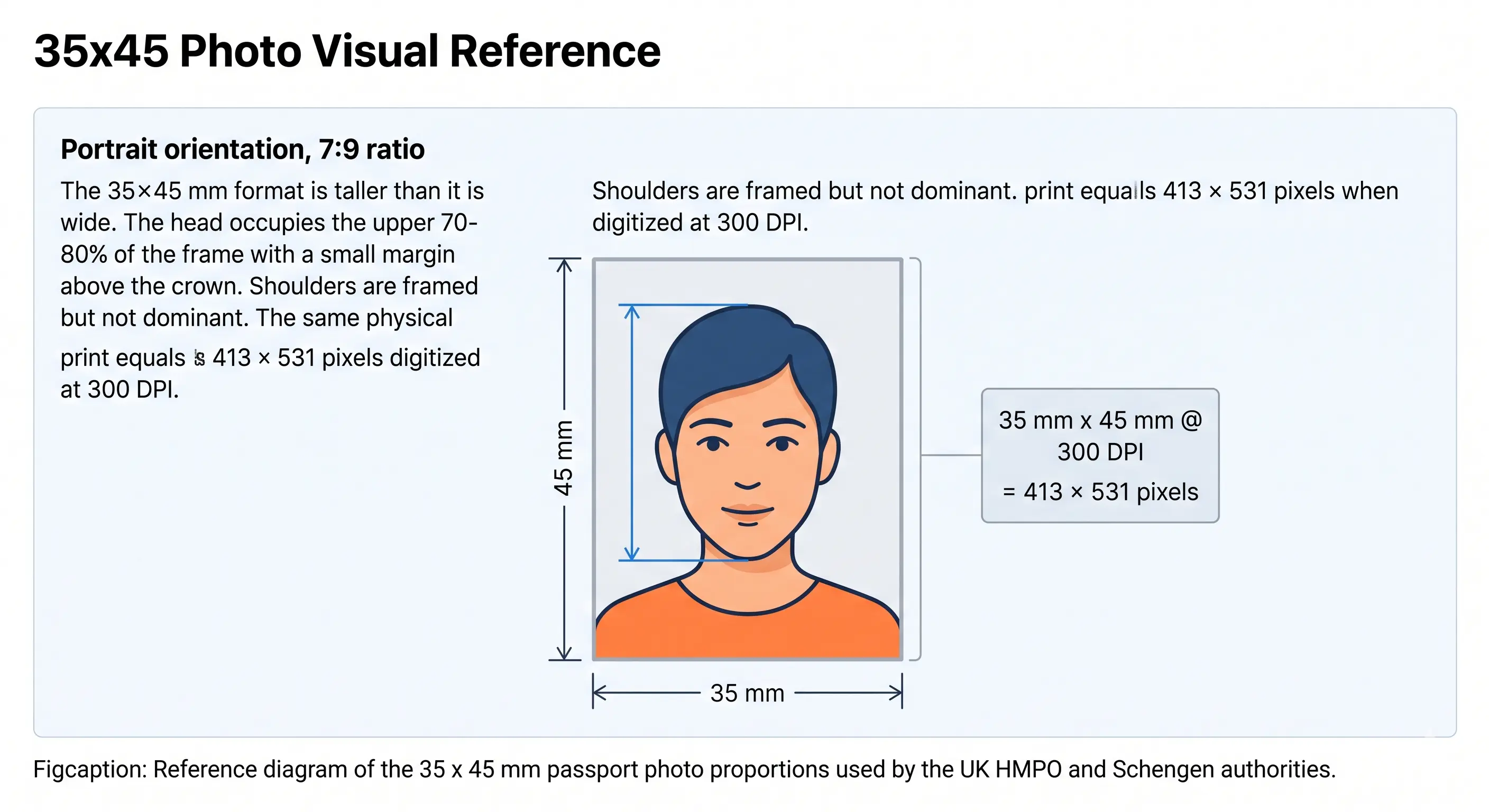
New Zealand Passport Photo Visual Reference
New Zealand uses the international 35 × 45 mm portrait format. The diagram below marks the frame proportions, the head-height band and the pixel equivalent at 300 DPI.
Create Your New Zealand Passport Photo Online
Most rejected New Zealand passport photos aren't blurry or badly lit — they're simply the wrong size, or the head sits a few millimetres outside the DIA's 32–36 mm crown-to-chin range. Because the photo feeds a biometric facial recognition system, even small framing errors can trigger a manual review or an outright bounce. Exact dimensions and centred, square-on framing aren't a formality here; they're what the matching algorithm relies on.
Drag and drop a photo here, or click to upload
JPEG or PNG · we'll handle the rest
Passport Photo Maker reads your uploaded photo, finds your face, and automatically crops it to the New Zealand DIA's 35 × 45 mm specification. It centres your head within the required 32–36 mm range, swaps in a compliant plain background, checks resolution against the 300 DPI minimum, and lays out a print-ready sheet — so you can either upload the digital file straight to govt.nz or print it for a paper application. New Zealand passport and visa presets are both built in.
Create My New Zealand Passport PhotoDepartment of Internal Affairs (Te Tari Taiwhenua): Role & Process
The Department of Internal Affairs is the sole government body authorised to issue, renew, and verify New Zealand passports, and it administers the process under its Māori name, Te Tari Taiwhenua. Beyond printing the document itself, the DIA confirms identity, runs each submitted photo against biometric standards, and maintains the facial recognition data embedded in every e-passport chip.
Most adult renewals now happen entirely online through RealMe-authenticated accounts on govt.nz, where the DIA's own photo checker scans your upload in real time and flags problems before you can proceed to payment. First-time applications, child passports, and some replacement cases still require a paper form submitted with a printed photo through a PostShop or an Authorised Issuing Office. In both pathways the photo is checked against the same specification — the DIA does not offer a separate, easier standard for paper applicants.
New Zealand Passport Photo Requirements in Full
Every row below must pass. Each rule links to the detailed standard in the passport photo rules library.
| Photo Size | 35 mm × 45 mm (3.5 cm × 4.5 cm), 7:9 portrait ratio |
|---|---|
| Width | 35 mm (≈413 px at 300 DPI) |
| Height | 45 mm (≈531 px at 300 DPI) |
| Background | Plain light colour, evenly lit, no patterns, gradients or shadows. Light grey is safest; white works only with clear contrast. See background colour rules |
| Lighting | Even and diffuse, no shadow on the face or the wall behind the head. See shadow rules and lighting requirements |
| Head Size | 32–36 mm from crown to chin. See head size rules |
| Face Coverage | Roughly 70–80% of the frame height. See face size requirements |
| Eyes | Both eyes open, level and looking straight at the camera. See eyes requirements |
| Hair | Must not cover the eyes or obscure the outline of the face. See hair rules |
| Ears | Not mandatory for New Zealand, but the face outline must be clear. See ears visibility rules |
| Resolution | Minimum 300 DPI for print; digital uploads should be at least 600 px wide. See resolution rules |
| File Format | JPEG (.jpg), sRGB colour. No scans or photocopies accepted |
| File Size (upload) | Commonly capped around 250 KB — confirm the limit shown on the govt.nz form |
| Glasses | Removal strongly recommended; if worn, no tint, no glare, eyes fully visible. See glasses rules |
| Headwear | Not permitted except for religious or cultural reasons, with the full face visible. See head covering rules |
| Expression | Neutral, mouth closed, no smiling. See smile rules |
| Print Media | Genuine photographic paper for paper applications — ordinary printer paper is refused |
| Age of Photo | Taken within the last 6 months and a true likeness of your current appearance |
New Zealand Passport Photo Dimensions & Pixels
The 35 × 45 mm print translates into fixed pixel values depending on resolution. Portals validate the upload against these, and a file below 300 DPI is refused for insufficient resolution rather than wrong size.
Upscaling will not rescue an undersized file: enlarging a small image interpolates pixels rather than adding detail, and the sharpness check catches it. Shoot wide and crop down instead. Full conversions across every country are in passport photo size in pixels, and the crop mechanics in the crop guide.
Need to hit a specific file size for the govt.nz upload? The reduce file size guide and compress to 240 KB guide cover it. iPhone users shooting HEIC should read the HEIC to JPEG guide first.
New Zealand Compared to Other Passport Photo Standards
New Zealand shares the 35 × 45 mm size with most of the world, but the background rule is where it differs from its closest neighbours: Australia requires plain white, while New Zealand asks for a plain light colour and light grey performs more reliably.
| Country | Photo Size | Head Height | Background |
|---|---|---|---|
| New Zealand | 35 × 45 mm | 32 – 36 mm | Plain light colour / light grey |
| Australia | 35 × 45 mm | 32 – 36 mm | Plain white |
| United Kingdom | 35 × 45 mm | 29 – 34 mm | White, cream or light grey |
| EU / Schengen | 35 × 45 mm | 32 – 36 mm | Light grey |
| Singapore | 35 × 45 mm | 25 – 35 mm | Plain white |
| Japan | 35 × 45 mm | 32 – 36 mm | Plain white |
| South Korea | 35 × 45 mm | 32 – 36 mm | Plain white |
| Canada | 50 × 70 mm | 31 – 36 mm | Plain white |
| United States | 51 × 51 mm (2 × 2 in) | 25 – 35 mm | White / off-white |
| China | 33 × 48 mm | 28 – 33 mm | Plain white |
For the complete worldwide reference see passport size photo dimensions, or browse every standard in the passport photo requirements by country hub.
New Zealand's Specific Photo Rules — What Catches People Out
New Zealand's framing rules are stricter on proportion than many countries' "just centre your face" guidance. Because head height is a measured range rather than a visual estimate, a photo can look fine to the eye and still fail. The background rule is equally specific: it must be plain and genuinely even, since the DIA's processing system is sensitive to soft shadows cast by overhead lighting, not just obvious dark patches.
The contrast trap is the one worth planning for. A plain light background is required, but your face, hair and clothing must remain distinguishable from it — a fair-haired applicant in a white shirt against a white wall produces exactly the low-contrast image the checker refuses. Light grey solves this in almost every case.
For digital submissions through govt.nz the file itself matters as much as the image content: the DIA does not accept scanned prints or photographs of a printed photo, only an original digital photo file uploaded directly. Paper applicants need a physically printed photo on photographic paper; a home-printed photo on regular printer paper is routinely refused at the counter.
Using the New Zealand Passport Photo Maker: 5 Steps
- Take or choose a photo. Face a window or even light source, look straight ahead, and keep a neutral expression with your mouth closed. Stand clear of the wall so no shadow falls behind your head.
- Upload it to Passport Photo Maker. The tool detects your face and checks it against the DIA's 35 × 45 mm template.
- Let the tool crop and centre automatically. Your head is positioned within the 32–36 mm crown-to-chin range and the background is replaced with a compliant plain tone.
- Review the compliance check. Confirm resolution, head size, and background pass before continuing — this mirrors what the DIA's own online checker will look for.
- Download or print. Save the digital file for a govt.nz upload, or print the generated sheet at the correct 35 × 45 mm size for a paper application.
Children's New Zealand Passport Photo Requirements
Children need their own passport for international travel from birth, and the photo follows the same 35 × 45 mm size and plain-background rules as an adult photo — there is no separate infant format. The DIA does relax the neutral-expression rule for babies and very young children who cannot reliably hold a steady, closed-mouth expression, but the framing rules stay strict.
Same size, same head height
35 × 45 mm with the head at 32–36 mm crown to chin. No age exemption applies to dimensions or framing.
Expression relaxed for babies
Very young children are not held to the neutral-expression rule. Older children must have a closed mouth and neutral face like an adult.
Child alone in the frame
No toys, dummies or other people. A parent's hands must not be visible supporting the head or body, even at the frame's edge.
Shoot from directly above
Lay the baby on a plain light-coloured sheet and photograph straight down in soft indirect daylight. This avoids both hands in frame and shadow behind the head.
In practice, the visible-hands rule trips up the most parents. Laying a baby on a plain light sheet and photographing from directly above, with no hand or shoulder at the frame's edge, tends to produce a usable result without several retakes. Full technique for newborns and toddlers is in the baby passport photo at home guide.
Photographing a child? Upload the shot and let the tool apply the 35 × 45 mm crop and head-height check for you.
Common Reasons New Zealand Passport Photos Get Rejected
- Incorrect dimensions — submitted at a size other than 35 × 45 mm, or cropped without preserving the 7:9 ratio. See the crop guide.
- Head size out of range — crown-to-chin measurement falls outside 32–36 mm. See head size rules.
- Background shadows — uneven indoor lighting casts a faint shadow the DIA's system flags even when barely visible to the eye. See shadow rules.
- Insufficient contrast with the background — light hair or a white shirt against a white wall leaves the face outline indistinct. See background colour rules.
- Glasses glare or tint — reflections or tinted lenses obscure the eyes, which the biometric check requires to be fully visible. See glasses rules.
- Hair across the face — a fringe over the eyes or hair obscuring the face outline fails landmark detection. See hair rules.
- Photo older than 6 months — particularly common with renewal applicants reusing a photo from a previous passport or licence.
- Low resolution — phone screenshots or compressed images that fall under the 300 DPI print threshold. See resolution rules.
- Non-neutral expression — slight smiling, an open mouth, or a tilted head, all of which the system reads as a failed match. See smile rules.
- Filters or retouching — portrait blur, skin smoothing and slimming alter facial geometry and are detected by automated validation.
- Scanned or photocopied photos — the DIA requires an original digital file or a genuine photographic print, not a scan of either.
- Printed on plain paper — paper applications need photographic stock; ordinary printer paper is refused at the counter.
The full cross-country breakdown of what causes refusal and how to correct it is in passport photo rejection reasons.
Digital Application Rules for govt.nz and RealMe
Most New Zealand adults now renew online rather than visiting a PostShop, and the digital pathway has its own quirks worth knowing before you start. After logging in with RealMe, you upload your photo directly into the application — the file must be a genuine digital photograph rather than a scan, in JPEG format, and within the DIA's upload size limit. The built-in checker reviews the image immediately and will refuse it on the spot for incorrect proportions, detectable shadowing, or a face that isn't centred, before you're allowed to proceed.
One advantage of the online process: because the checker runs before submission rather than after a manual review weeks later, fixing a flagged photo costs you minutes, not a delayed application. It's worth running your photo through a compliance check yourself first so you're not troubleshooting mid-application. Broader portal rules across countries are covered in the digital passport photo requirements guide.
Printing a 35 × 45 mm New Zealand Passport Photo
If you're submitting a paper application through a PostShop or Authorised Issuing Office, printing is part of the specification rather than an afterthought — the DIA refuses photos printed on ordinary paper regardless of how good the image is.
| Print resolution | 300 DPI minimum — disable fit-to-page and auto-scaling, which change the physical size |
|---|---|
| Paper | Genuine photographic paper, glossy or matte, 200–250 gsm. Plain printer paper is refused |
| Copies per 4 × 6 in sheet | Six 35 × 45 mm photos with cutting margins |
| Copies per A4 sheet | Around twenty, though most applications need only one |
| Cutting | Guillotine or steel rule for square edges. Do not cut inside the printed border |
| Colour | sRGB. Turn off printer auto-enhance, skin smoothing and colour correction |
| Handling | Let ink dry fully. Do not staple, fold or glue the photo face |
Printer settings, paper choice and cutting technique are covered in full in the print passport photo at home guide, and multi-copy sheet layout in the print sheet guide.
Frequently Asked Questions
Size & Specification
What is the New Zealand passport photo size?
The New Zealand passport photo size is 35 mm wide by 45 mm tall (3.5 × 4.5 cm), a 7:9 portrait format. At 300 DPI that equals approximately 413 × 531 pixels. The head must measure 32 to 36 mm from crown to chin, filling roughly 70 to 80 percent of the frame height.
What background is required for a New Zealand passport photo?
A plain, light-coloured background that is evenly lit, with no patterns, gradients or shadows. Light grey is the safest choice. Pure white is accepted only where there is clear contrast with your hair, face and clothing, which is why a white shirt against a white wall is a common cause of refusal.
Appearance & Compliance
Can I wear glasses in my New Zealand passport photo?
The DIA strongly recommends removing glasses entirely. If you keep them on there must be no glare on the lenses, no tinted glass, and no frames covering your eyes. Both eyes must be fully visible for the biometric check to pass.
What should I wear for a New Zealand passport photo?
Everyday clothing in a colour that contrasts with the background. Avoid uniforms unless worn for religious or cultural reasons, and avoid hats. Headwear worn for religious reasons is permitted provided your full face remains visible from forehead to chin with no shadow.
How recent must a New Zealand passport photo be?
No older than 6 months, and it must be a true likeness of your current appearance including recent changes such as new facial hair or a different hair colour.
Children & Related Documents
What photo is required for a child's New Zealand passport?
Children's photos follow the same 35 × 45 mm size and plain background rules as adult photos, with no separate infant format. The DIA relaxes the neutral-expression rule for babies who cannot hold a steady closed-mouth expression. No toys, dummies or other people may appear in the frame, and a parent's hands must not be visible supporting the child.
Is the New Zealand passport photo the same as the New Zealand visa photo?
Both use the same 35 × 45 mm size and plain light background, but they are issued by different authorities and submitted through different systems. The passport photo goes to the Department of Internal Affairs; the visa photo is submitted to Immigration New Zealand as part of a visa application. See our New Zealand visa photo requirements guide.
Applying, Taking & Printing
Can I take my own New Zealand passport photo at home?
Yes. The DIA doesn't require a professional photographer — a phone photo against a plain wall in good natural light works fine, as long as the final result meets the 35 × 45 mm specification and background rules. What it won't accept is a scanned or photocopied image.
How many photos do I need for a New Zealand passport application?
Online applications through govt.nz need one digital upload. Paper applications generally need one printed 35 × 45 mm photo, though it's worth checking with the specific PostShop or Issuing Office, as some request a spare copy.
Which authority issues passports in New Zealand?
The Department of Internal Affairs (DIA) — Te Tari Taiwhenua — is the only authority that issues, renews, and verifies New Zealand passports. It also maintains the facial recognition data embedded in every e-passport chip.
Can I use a digital passport photo for a govt.nz online renewal?
Yes, and for most adult renewals it's now the standard route. You upload the digital file directly through your RealMe-linked govt.nz account, and the same 35 × 45 mm and background rules apply as they would on paper. The file must be an original digital photograph rather than a scan.
How do I print a 35 × 45 mm New Zealand passport photo at home?
Print at 300 DPI on genuine photographic paper. A 4 × 6 inch sheet holds six 35 × 45 mm copies and an A4 sheet holds around twenty. A photo printed on ordinary printer paper is routinely refused at the counter, so photographic stock is not optional for paper applications.
Create Your New Zealand Passport Photo Now
Upload a photo and get a DIA-ready 35 × 45 mm New Zealand passport photo — correctly sized, centred, and backgrounded for govt.nz or a paper application.
Start My New Zealand Passport PhotoOfficial Sources & References
- New Zealand Passports, Department of Internal Affairs — passport photo requirements: passports.govt.nz
- Department of Internal Affairs (Te Tari Taiwhenua): dia.govt.nz
- New Zealand Government online services and RealMe application pathway: govt.nz
- ICAO Doc 9303 — Machine Readable Travel Documents biometric photograph standard: icao.int
Related Passport Photo Guides
- Passport Photo Maker — Main Tool — create a 35 × 45 mm New Zealand photo online
- Passport Photo Requirements by Country — every national standard in one hub
- Passport Photo Rules & Standards — background, head size, eyes, hair, shadows and expression
- New Zealand Visa Photo Requirements — same size, different authority
- 35×45 Photo Size — the full specification for this format
- Passport Photo Size in Pixels — 413 × 531 and every other conversion
- Passport Size Photo Dimensions (All Countries)
- Australia Passport Photo Requirements — same region and size, but plain white background
- UK Passport Photo Requirements — same size, narrower 29–34 mm head band
- EU Passport Photo Requirements
- Singapore Passport Photo Requirements
- Japan Passport Photo Requirements
- South Korea Passport Photo Requirements
- Ireland Passport Photo Requirements
- China Passport Photo Requirements — the 33 × 48 mm regional exception
- China Visa Photo Requirements — for New Zealanders travelling to China
- Background Colour Rules
- Head Size Rules
- Face Size Requirements
- Eyes Requirements
- Hair Rules
- Ears Visibility Rules
- Head Covering Rules
- Shadow Rules
- Crop Guide
- Print at Home Guide
- Passport Photo Rejection Reasons
- Baby Passport Photo at Home
- Digital Passport Photo Requirements